

01 / WORKBENCH GUIDE
Choose your starting point
GopherForge brings two useful workflows together: a native Go workbench for iPhone and iPad, and a learning library you can also read in a browser. The app bundles Go 1.27.1. It compiles on your device; running a small program does not require an account or a remote execution service. The website provides lessons and interview preparation without running arbitrary submitted source.
Start with Projects if you have an idea to build. Start with Learn → Course if you want a structured path through the language. Choose Learn → Interview to practice explanations, tradeoffs and algorithms. You can move between these areas without treating an interview self-assessment as course completion.
The web library includes the material prepared for native 1.2.0: 186 teaching lessons, 22 prediction challenges and 139 worked readings across 23 units. Check version history for the native release status. Existing App Store installations may show an earlier library until that update is available.
02 / WORKBENCH GUIDE
Your first fifteen minutes
Open Projects → Create new project and choose a small template. Give it a meaningful name, then open its main Go file. Read the package declaration and imports before changing the program. Change one visible output string, tap Run, and compare the result in Output with your expectation. The first build can take longer while the bundled tools prepare their working files.
Next, add a small function with a clear input and return value. Add a test file ending in _test.go, then run Test. Make the test fail deliberately once, fix the implementation and rerun it. This gives you a reliable distinction between a successful compilation and a checked behavior.
Finish by formatting the project. Export a copy through the project controls before making a larger experiment. A useful first session is one small program you understand, one test you can explain, and a copy you know how to find again.
03 / WORKBENCH GUIDE
Files, editing and screen space
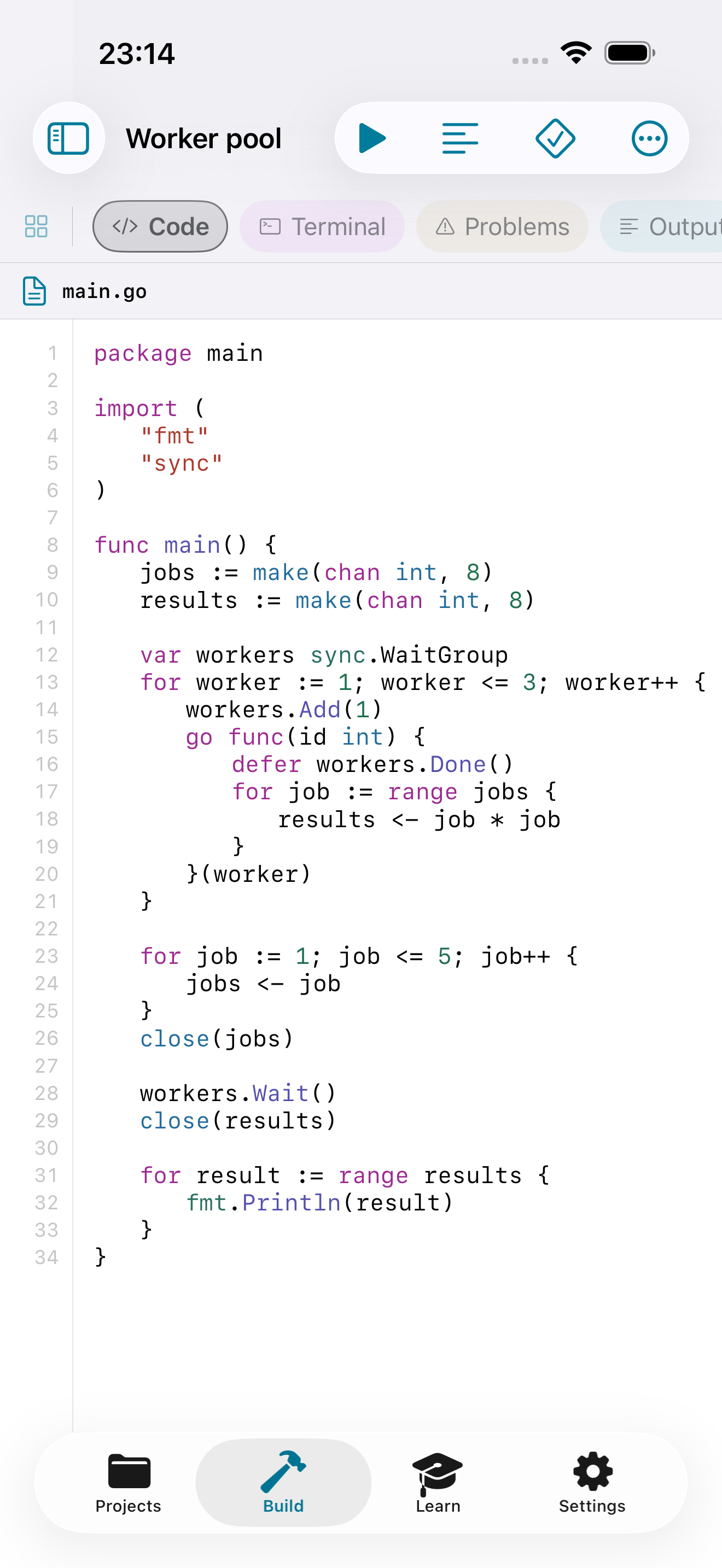
Inside Build, the Files control opens or closes the project navigator. Use it to select another source file, inspect the module file or add project content. Files is a collapsible sidebar; it does not need to remain open while you write. The active file appears above the editor so you can confirm where a change will go.
The editor provides Go syntax highlighting, line numbers and a coding accessory for touch input. With an external keyboard, the touch accessory should not reserve an empty keyboard-sized area. You can scroll past the final source line to keep the last lines clear of floating navigation; that extra space is visual padding, not text inserted into your file.
Layouts adapt to iPhone, iPad and supported Duo postures. If a problem appears only after rotating or changing posture, record the orientation, keyboard state and active pane. Support explains the details that make a layout report reproducible.
04 / WORKBENCH GUIDE
Build, run, test, vet and format
These operations answer different questions. Build checks and links the program. Run builds and executes the main package. Test executes package tests. Vet reports suspicious constructs that can compile successfully. Format rewrites source with the bundled formatter. A clean build alone does not prove that your program is correct.
Use Problems to locate diagnostics and Output to read execution results. Read the first relevant error before fixing every later message: a missing import or malformed declaration can cause several downstream reports. When a setup or dependency step fails, the program may not have started at all.
The workbench runs a bounded WASI environment. It is appropriate for compatible pure-Go programs, learning exercises and local project experiments. It does not provide arbitrary native system calls, cgo, native assembly or guest-program networking. An infinite loop has no guaranteed Stop; an unresponsive run may require closing and reopening the app. Keep important source exported.
05 / WORKBENCH GUIDE
Use the project console deliberately
Terminal is an app-scoped project console. It maps supported commands to the workbench’s existing operations. It is useful when you prefer a command-oriented view of a project, but it is not a general shell or a remote machine.
help
go build
go run
go test
go vet
go fmt
go mod
ls
cat main.go
pwd
clear
go mod displays the parsed module. It does not expose every desktop go mod subcommand. Likewise, this console does not promise arbitrary flags, shell pipelines, Bash scripts, SSH sessions or Kubernetes administration. The Around Go lessons show commands for a separate native development environment; reading those commands does not install those tools into the app.
If a command is rejected, check help and the corresponding toolbar operation. Avoid repeatedly submitting an unsupported desktop workflow and interpreting the response as a Go language failure.
06 / WORKBENCH GUIDE
Import, export and keep projects findable
You can create projects from templates, import a GitHub repository, or open compatible content from Files. GitHub import requires a connection. Review the imported tree and go.mod before building an unfamiliar project, especially when it has a large dependency graph or expects native operating-system services.
Projects stay on the device unless you choose a location in Files or iCloud Drive. The project library can be kept in a selected folder; individual projects can also be exported as folders or archives. A folder provider being available in Files is separate from a complete build being supported by the compiler sandbox.
Use a small library with descriptive project names rather than several indistinguishable template copies. Export before deleting or reorganizing a project. The app does not automatically upload source to a coding-agent provider, and the website does not share your native project library. Package compatibility is the next check when an imported repository fails before compilation.
07 / WORKBENCH GUIDE
Dependencies, offline work and archive limits
Automatic dependency preparation uses requirements already declared in go.mod. Once compatible source is present, later builds can use it without downloading it again. Importing a repository or fetching missing packages still needs a connection. This is not a full desktop module-version solver, and go.work semantics are not implemented.
GopherForge applies independent resource budgets to downloaded module archives:
| Budget | Meaning |
|---|---|
| 4,000 files | Non-directory ZIP entries, counted before source filtering |
| 96 MiB compressed | Maximum download size of one module ZIP |
| 512 MiB uncompressed | Maximum expanded size of one module |
| 80 modules | Maximum dependencies prepared in one pass |
These are application budgets, not Go language limits. Tests, documentation and other-platform sources count toward the ZIP entry budget even when they will later be discarded. For example, modernc.org/libc@v1.75.3 has 4,168 files and is rejected during Setup. Retry cannot make that same archive smaller.
Passing an archive check also does not establish WASI compatibility. Non-Go go:embed assets are not generally preserved by vendoring. Read the detailed limits before changing dependency versions or assuming that SQLite-based applications will run.
08 / WORKBENCH GUIDE
Local web previews, pictures and diagnostic tools
The workbench can present compatible local HTML, CSS and JavaScript in a WebKit preview and display PNG output from Go programs. These are useful for small visual experiments: generate an image, inspect it, then change one parameter and run again. A preview is not evidence that a guest Go HTTP server can open a network listener.
The Gin-style templates use a bundled educational compatibility layer, not the complete upstream Gin framework. They exercise registered handlers through httptest; the native app serves the resulting local preview. This does not run an arbitrary live Go backend. npm requires a Node.js runtime, and neither Node.js nor Bun is bundled. For a larger Go-plus-frontend project, build the frontend in your normal development environment and import compatible static output; run database-backed services in that external environment.
HTML or JavaScript loaded in WebKit can contact remote services referenced by that content. This differs from networking inside the sandboxed Go program. Inspect imported web content and external resource URLs if you want a fully local experiment.
Concurrency Lab provides nine modeled scenarios for reasoning about goroutines and synchronization. Idiom Coach applies deterministic rules to source. They are learning aids, not a production runtime trace or an AI code review service. Use compiler tests and a native race detector when you validate real concurrent software. The concurrency unit explains cancellation, joining and modern test tools.
09 / WORKBENCH GUIDE
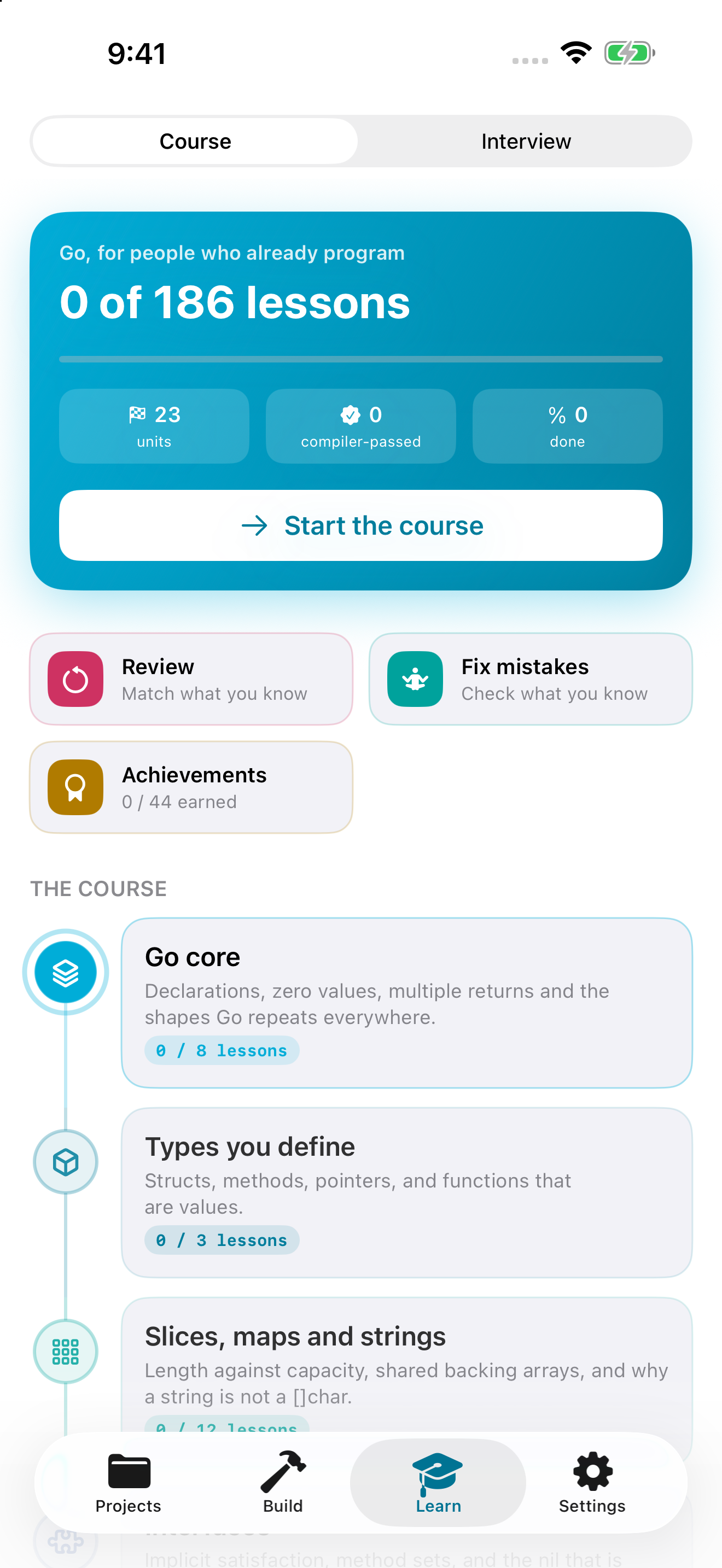
Follow the course without losing your place
The course combines editable exercises, prediction challenges and worked readings. In an exercise, make a small change and run the check. A compiler-verified completion records evidence from execution. A reading can be marked complete without invoking the compiler; that mark means you finished studying it, not that an arbitrary implementation passed tests.
Continue where you left off returns to the saved course lesson. Course and Interview keep separate places. Native progress is stored locally and survives normal app relaunches. Keep that distinction in mind before deleting the app or its data: local persistence is not a promise of account-based cloud recovery.
On the website, progress and bookmarks live in browser storage. Return in the same browser and device to see your saved place. Clearing site data, private browsing or storage restrictions can remove or prevent that record. Browser progress and app progress are independent.
A sensible route is Go core, collections, errors and modules, followed by concurrency and the design topics that match your project. You do not need to read every architecture before writing a useful small program.
10 / WORKBENCH GUIDE
Review, fix mistakes and understand the badges
Review asks you to connect learned ideas with their meanings. It builds matching pairs from eligible completed material rather than marking a new course lesson complete on your behalf. Complete a few distinct lessons if the review board has no learned pairs yet.
Fix mistakes revisits concepts with a question and three alternatives. After an incorrect answer, read the explanation and compare it with the misconception you chose. A correct response supplies new evidence for that concept. The purpose is to repair a misunderstanding, not to unlock a sequence merely by tapping a checkmark.
Achievements summarize learning events. They are not professional certifications, and a self-reported reading mark should not be confused with compiler evidence. When a topic feels familiar, explain it without the answer visible, then use a code example or prediction challenge to test that explanation. JSON input policy is a useful example of a subject where recognizing a function name is much easier than defining a reliable contract.
11 / WORKBENCH GUIDE
Prepare for a Go developer interview
Interview contains 92 worked guides across 12 topics and four difficulty levels, from junior foundations to staff-level tradeoffs. Read the prompt first, speak your answer aloud, then compare the reasoning, trap and follow-up. Mark whether you understand the topic or want to revisit it. That self-assessment stays separate from course completion.
The twelve interactive algorithm labs contain 36 scenarios. Step through the state changes before reading the final result. New labs cover topological sorting, union-find, LRU eviction and merging intervals, alongside search, windows, heaps, graphs and other fundamentals.
Do not memorize only the displayed code. Explain input assumptions, ownership, time and space complexity, empty inputs and failure cases. For an LRU cache, distinguish entry capacity from a byte budget and a recency policy from a time-to-live policy. For a dependency graph, explain what a cycle means to the caller. Those boundaries often matter more than the short implementation.
12 / WORKBENCH GUIDE
Move from examples to real Go services
Around Go connects language knowledge to a working environment. The library covers Bash and Git, modules and tooling, Docker, Kubernetes, MongoDB and Redis. The new SQL unit explains connection pools, row ownership, transaction boundaries, isolation, locking and retry safety. Its examples target a native Go service with a database; the iPhone sandbox does not become a database server or network-enabled SQL client.
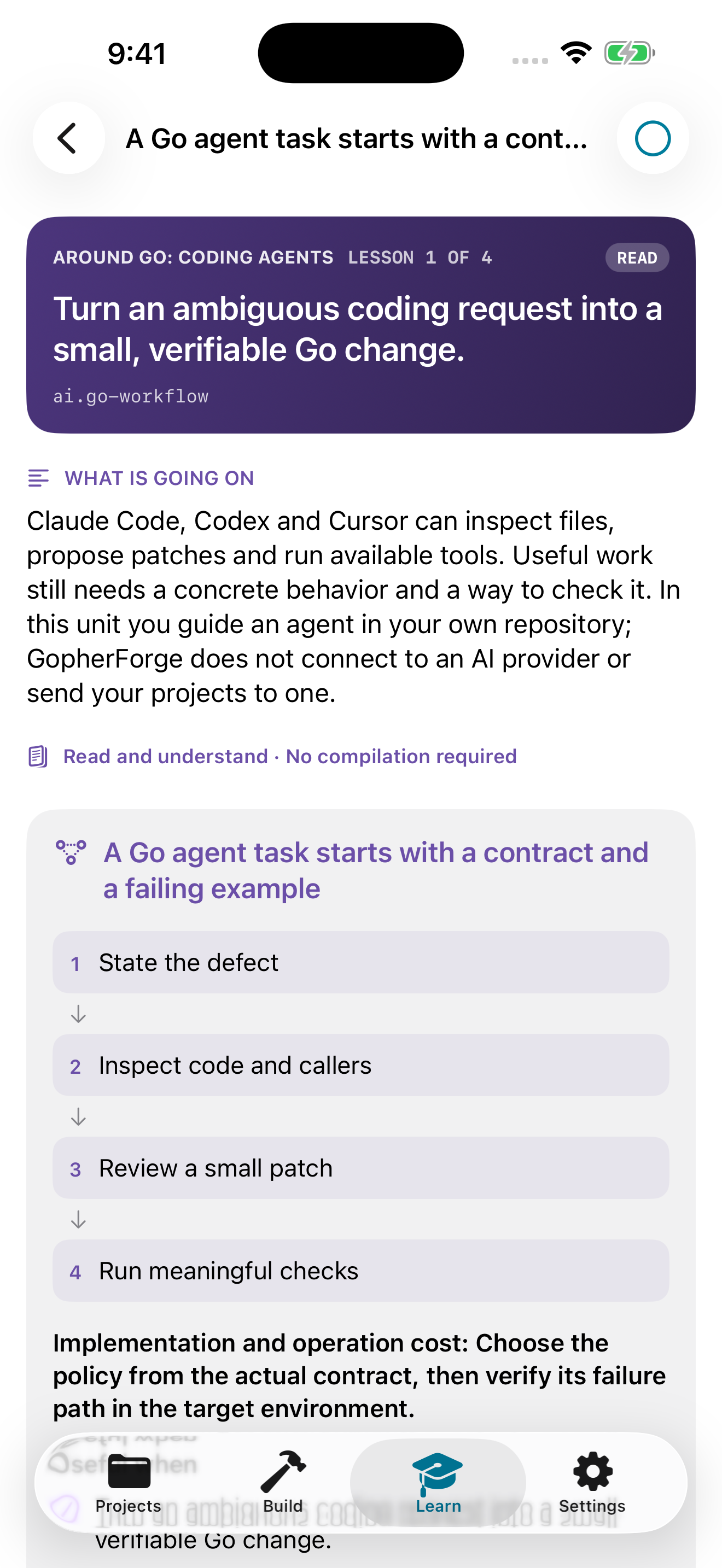
The coding-agent unit covers Go workflows with Codex, Claude Code and Cursor: repository guidance, small reviewable changes, API verification, tests and trust boundaries. These are instructions for using external development tools. GopherForge does not bundle an agent subscription, send your project to those providers or execute their commands for you.
Start with the agent workflow, then verify generated Go. For database work, begin with pool lifetime and transaction ownership. Use the linked official references and test the examples against the actual toolchain, driver and service versions you deploy.
13 / WORKBENCH GUIDE
Settings, privacy and a useful next step
Settings controls appearance, editor text size, screen-awake behavior and supported project-library preferences. The About section identifies the installed version and build. Include those values in a bug report; they are more useful than assuming every TestFlight or App Store installation contains the latest website material.
The native app is a one-time paid purchase with no subscription or in-app purchases. The U.S. listing is $6.99; the App Store shows the final price for your region. The web course is freely readable. The app does not include advertising or third-party analytics SDKs. The website has separate infrastructure analytics; see Privacy for the distinction.
If you are new to GopherForge, finish one lesson and return through Continue. If you already write Go, build a small project and test an edge case you normally overlook. Then choose one interview guide and explain its tradeoff to another person. The value is a repeatable loop: read, predict, run, inspect and revise. For a problem you cannot resolve, contact support with a minimal example and the exact diagnostic.
Common questions
Does GopherForge compile Go offline?
Yes. The native app bundles Go 1.27.1 and compiles compatible programs on the device. Missing packages and GitHub imports need a connection; the website does not execute arbitrary submitted source.
Is progress shared between the app and website?
No. Native progress is local to the app. Web progress uses storage in the current browser. Continue helps you return within each environment; there is no account-based cross-device synchronization.
Can I use MongoDB, Redis, SQL or Kubernetes inside the app?
The lessons explain native Go service workflows. They do not add guest-program networking, database servers, Docker, kubectl or a general shell to the app sandbox.
Are Codex, Claude Code or Cursor built into GopherForge?
No. The course teaches how to use these external tools with Go, including repository instructions, verification and security boundaries. The app does not automatically send your projects to an AI provider.
Why does a small module ZIP hit the file limit?
The budget counts all non-directory archive entries before platform and source filtering. A compact archive can still exceed 4,000 files. Retrying the unchanged archive does not bypass the budget.
Put it into practice.
One project, one test, one concept you can explain.